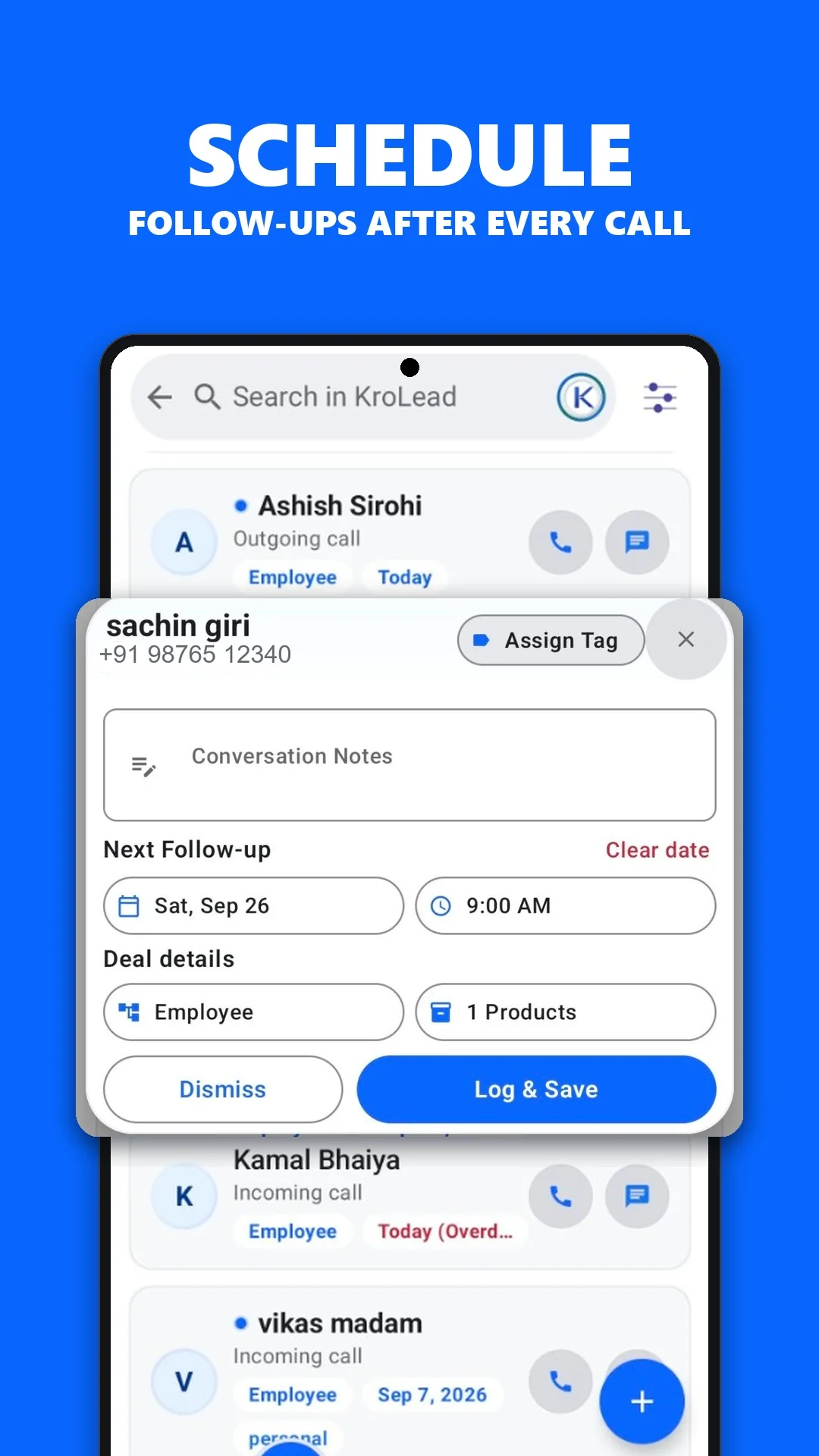
Keep every property enquiry moving to the next follow-up
KroLead helps real estate agents and sales teams organise buyer and seller enquiries, record call context, set reminders, and see which opportunities need attention.
EnquiriesKeep contact details, notes, tags, products, and source together for each opportunity.
Follow-upsSee today’s, overdue, and upcoming actions before warm enquiries go cold.
PipelineMove opportunities through New, Contacted, Qualified, Won, and Lost stages.
TeamCoordinate owners and employees with workspace access and visible activity.
For daily property sales work
Capture a new enquiry after a call or message
Save property and customer context in one lead profile
Schedule the next call, visit, or message
Review which leads are waiting for action
For real estate teams
Assign access to employees inside one workspace
Keep lead ownership and activity visible
Use notes, tasks, tags, and pipeline stages consistently
Review sources, conversions, and team performance
Why follow-up matters
Property enquiries often need several conversations before a decision. A clear next action helps agents replace memory, scattered chats, and spreadsheets with a repeatable process.
A practical Android CRM for agents
Lead historySee contact details, notes, tags, products, and communication context together.
Action remindersSeparate today, overdue, and upcoming follow-ups so the team knows what comes next.
Customer relationshipsKeep won leads as Customers and lost leads as Future Customers for later opportunities.
Bring your real estate follow-ups into one system
Explore KroLead on Android or contact the team for organisation onboarding.
Illustrative workflow: a buyer shares a budget, preferred area and availability for a Saturday visit.
Record the buyer's requirements and contact details in the lead notes.
Schedule the visit and keep the agreed location and time with the customer context.
After the visit, record feedback and set the next call or meeting.
Before you start: This is a customer follow-up workflow. It does not establish a property inventory system or integration with a property listing portal.
Product screenshot supplied with this website. The workflow above is an illustrative example.Get KroLead on Google Play