Call-Based CRM

A CRM built for teams that sell through calls, not dashboards alone

If your business runs on inbound calls, follow-up calls, and daily customer conversations, KroLead fits that workflow directly. The CRM is built around lead context, call-linked action, and quick next-step tracking.

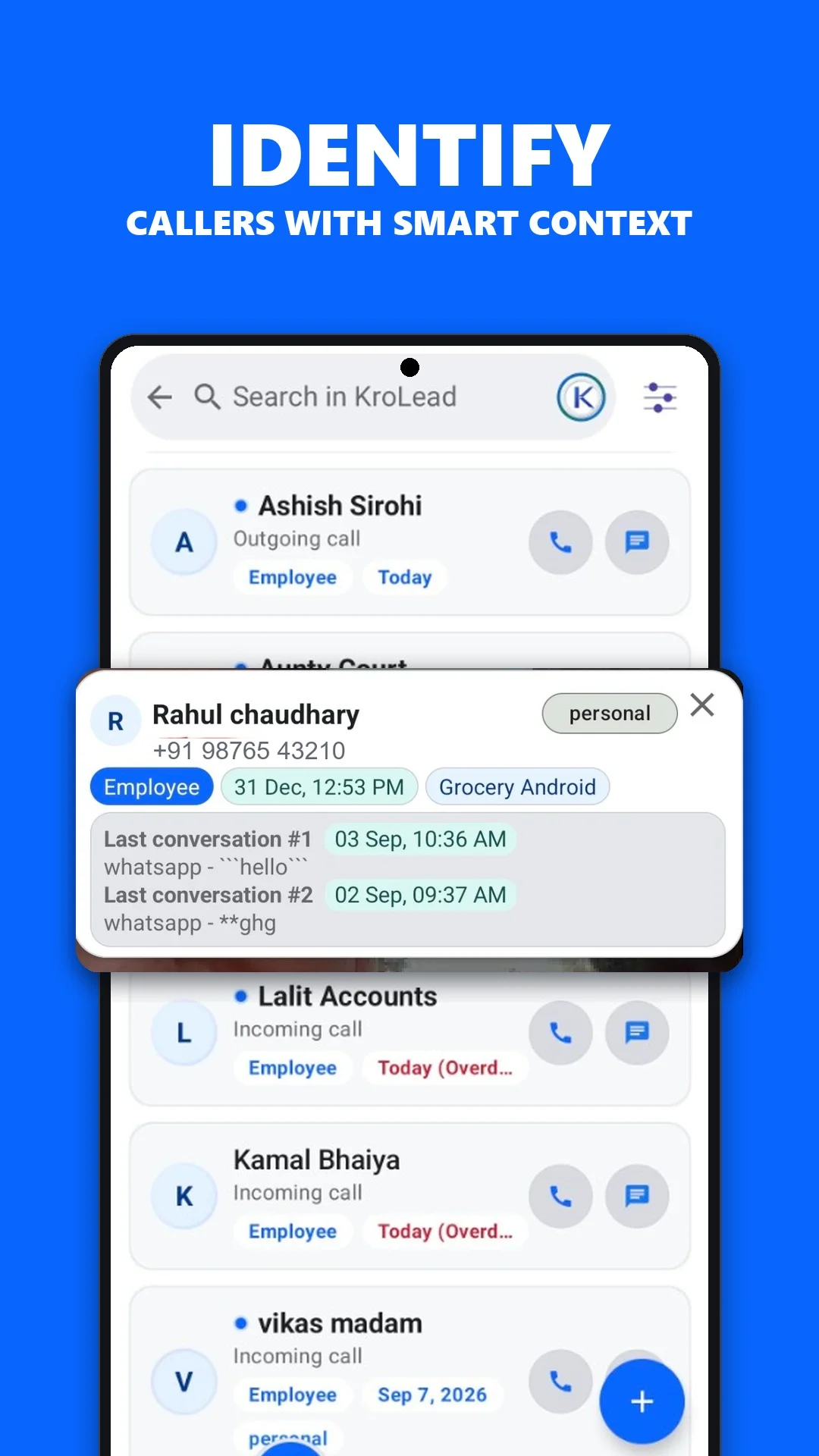
Pre-call context Know who is calling and what happened last before the next conversation starts.
Post-call action Capture notes, set follow-ups, and move the lead while the conversation is still fresh.
Lead history Keep one view of conversations, tags, reminders, and product interest around the same lead.
Team clarity Owners and employees can see what was done and what still needs action.

Best fit businesses

  • Sales-led local businesses
  • Consultation and service teams
  • Businesses where most customer intent starts on a phone call

Problems it solves

  • Forgetting what happened on the last call
  • Missing the next follow-up after a busy calling day
  • Lead ownership confusion inside the team
  • Customer details scattered across call logs, notebooks, and chat apps

Why CallPilot matters

CallPilot is optional, but it makes a call-based CRM workflow faster by keeping call-linked context close to the lead record and next action.

What a call-based CRM should do well

Show context before the next conversation Know the lead stage, notes, last interaction, and follow-up urgency quickly.
Reduce admin work after calls Make follow-up logging simple enough that teams actually do it consistently.
Keep the sales flow disciplined Calls should move leads forward, not disappear into memory or personal notes.

Managed setup

KroLead uses managed onboarding so your business does not have to guess the right workspace and team setup alone.

Need a CRM that matches how your team actually talks to leads?

Start the conversation on WhatsApp and KroLead will help you set up the right organization workflow.

Turn one conversation into a lead record

Illustrative workflow: a customer calls about a product, asks for a quote and requests a callback on Friday.

  1. Match the phone number to an existing lead or create the customer record.
  2. Save the product request and quote details as a note.
  3. Update the pipeline stage and schedule Friday's callback against the same record.

Before you start: A CRM record captures sales context; it does not itself provide carrier service or guarantee a connected call. CallPilot is an optional workflow.

KroLead app screen showing caller context and customer notes
Product screenshot supplied with this website. The workflow above is an illustrative example.

Common questions

What problems does a call-based CRM solve?

A call-based CRM keeps customer notes, call outcomes, lead ownership and scheduled next actions together. This helps teams review the previous conversation and return to follow-ups with the right context.

What should a call-based CRM do well?

A call-based CRM should make customer context easy to find before a conversation, make it practical to record an outcome after a call, and link the next action to the lead record.

Why does CallPilot matter for call-based sales?

CallPilot is optional. On supported Android devices with the relevant permissions enabled, it brings call-linked context and post-call actions closer to the calling workflow.
Get KroLead on Google Play