Pick up the conversation.
Keep customer notes and call history beside the lead, so the next conversation has a useful starting point.
See CallPilot ↗KroLead is an Android CRM for small businesses and sales teams. Manage sales leads, record calls and customer notes, plan follow-ups, and track your pipeline in one app. Core lead records work offline and sync when connectivity returns. Team access is set up through managed onboarding with KroLead.
Android app Offline lead records Managed team onboarding
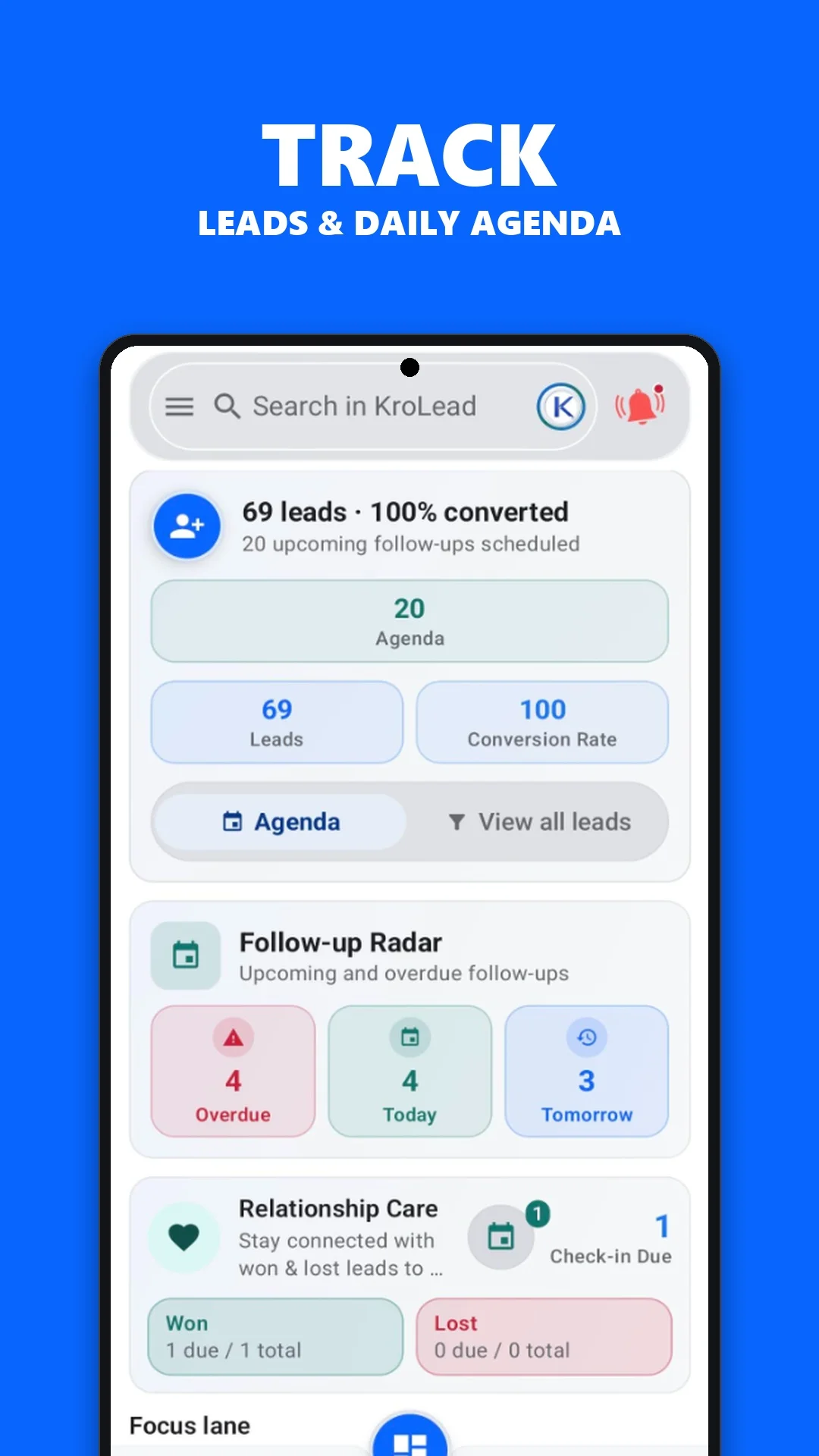
Take a closer look at lead tracking, caller context, follow-up reminders and WhatsApp outreach inside the KroLead Android app.
Daily priority, pipeline value, and task radar in one view
Keep your sales funnel organized by stages with visual deal tracking and revenue targets.
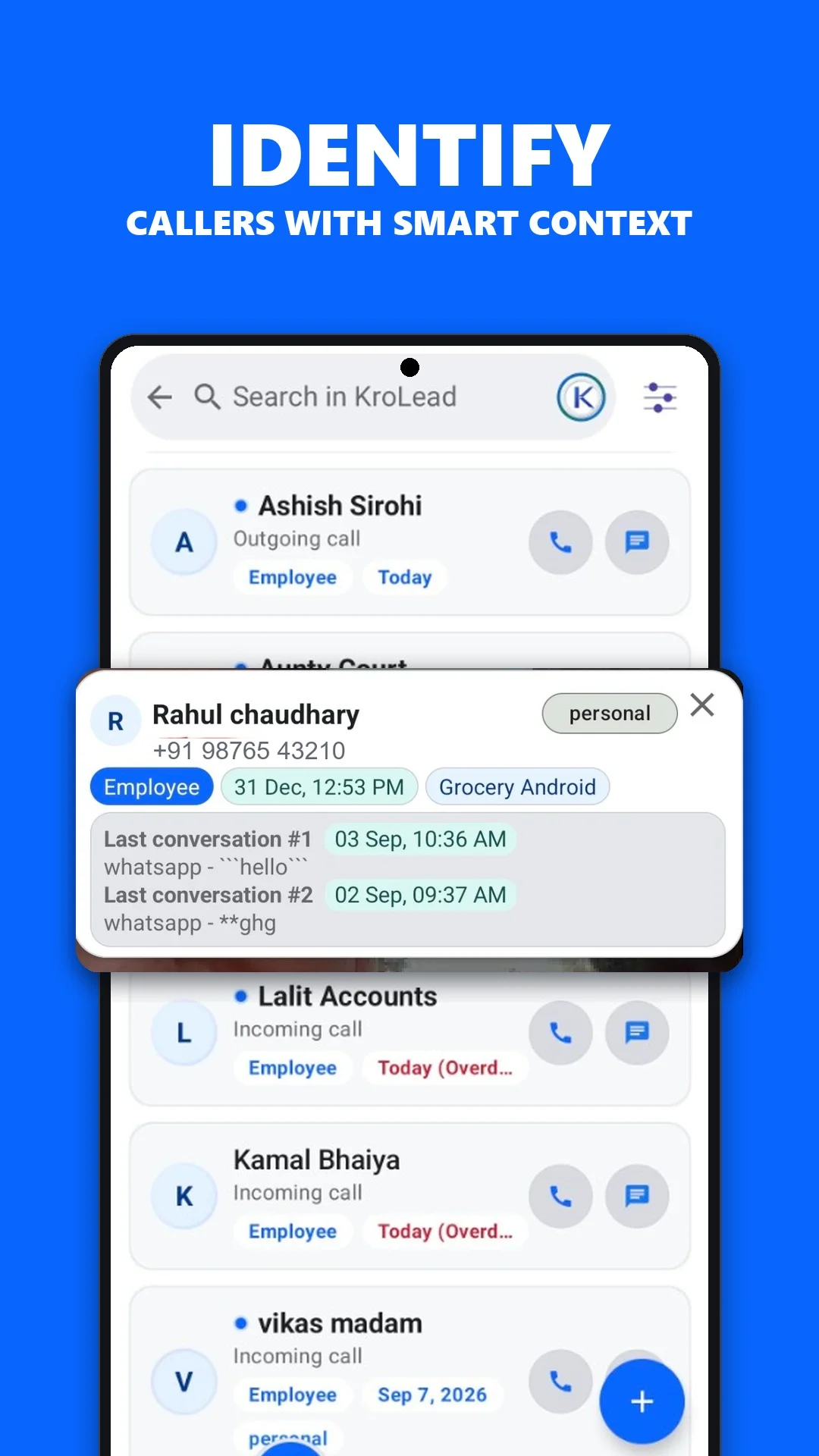
See caller context before pickup & 1-tap post-call logging
Instant caller history overlay before answering, plus quick deal notes and tags right after you hang up.
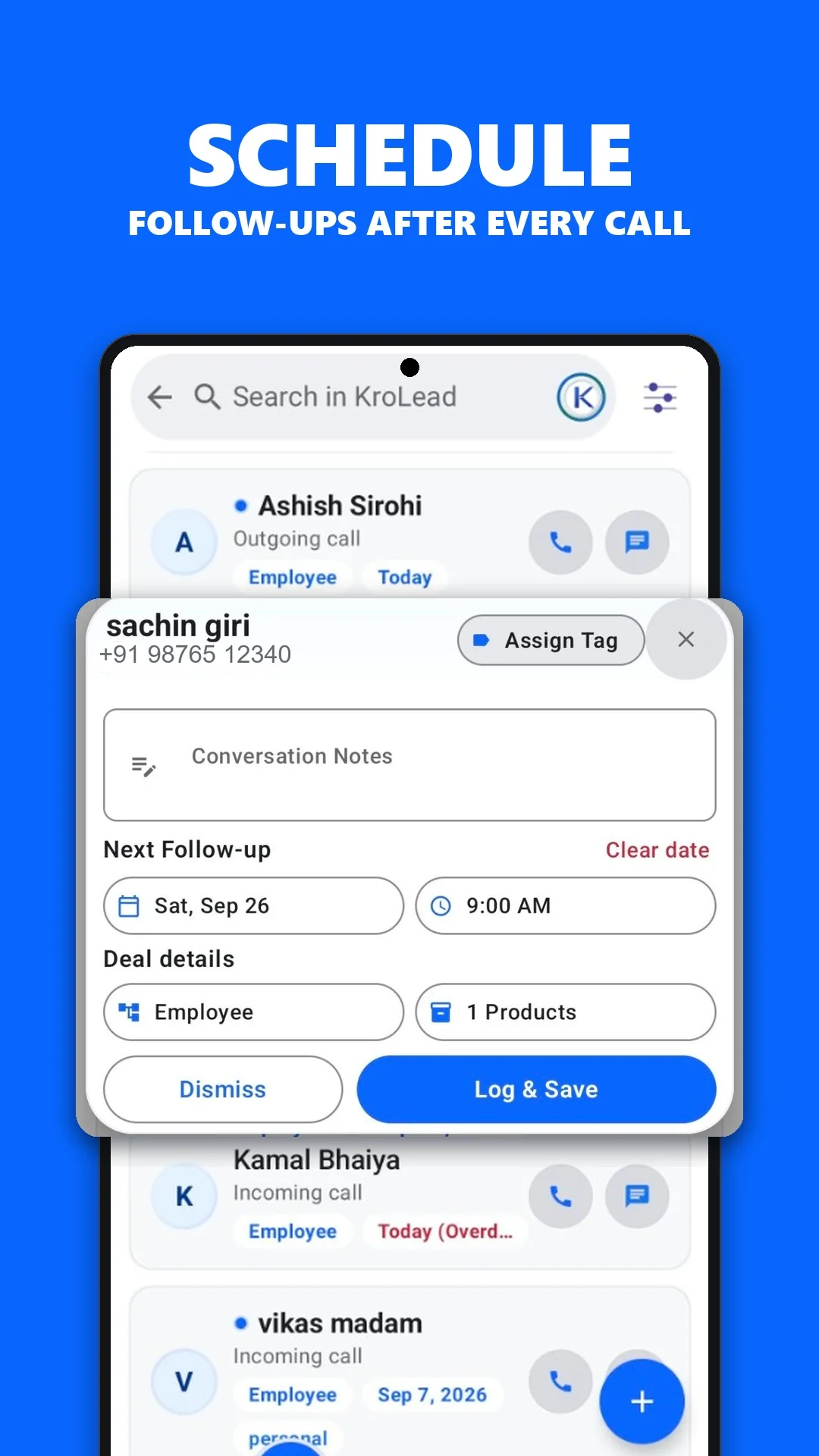
Scheduled follow-up alarms and overdue tracking for hot prospects
Set follow-up alarms and notifications to keep upcoming conversations visible.
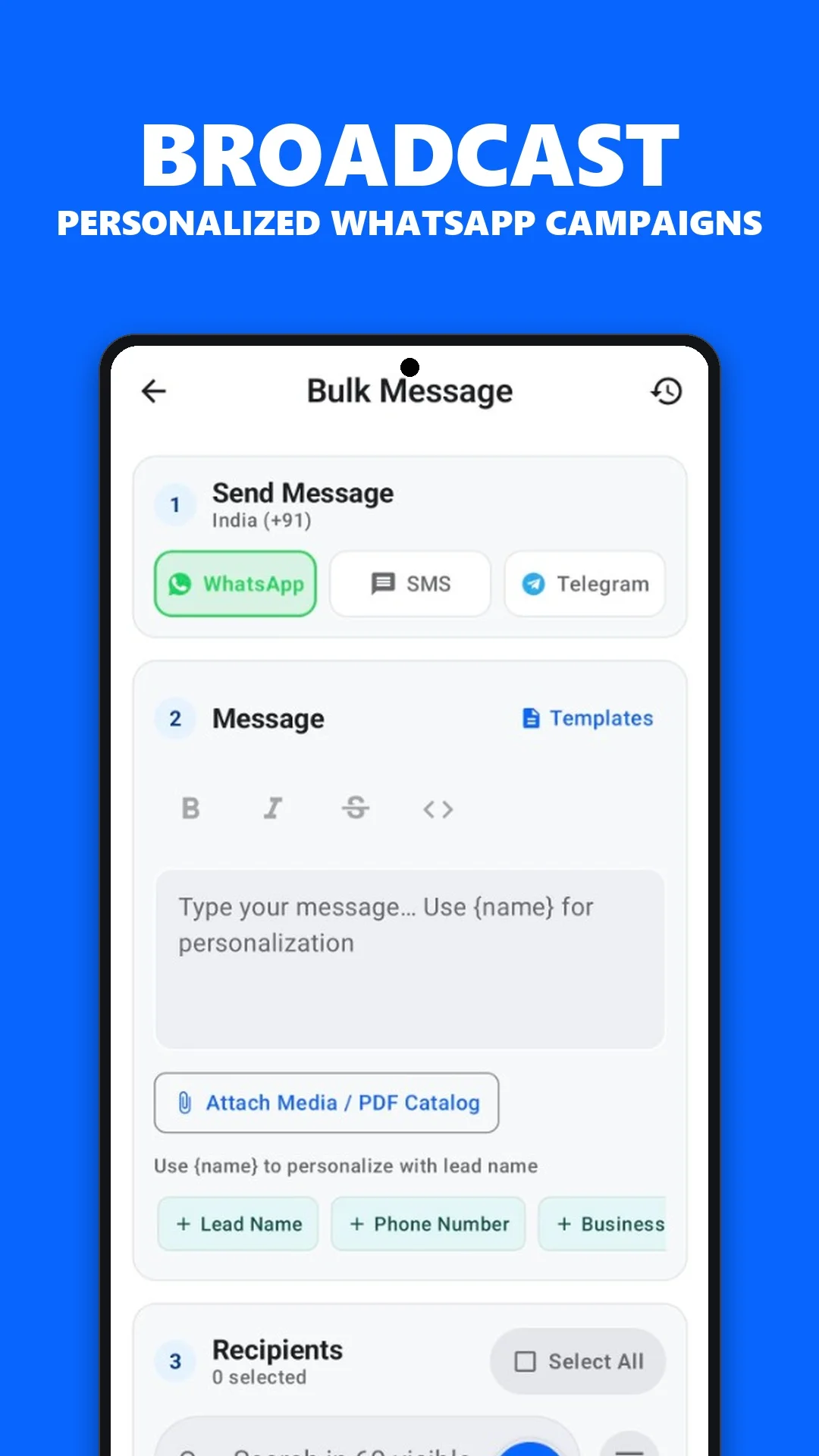
Send personalized chat templates & bulk messages without saving numbers
Prepare WhatsApp outreach with templates and replaceable customer details.
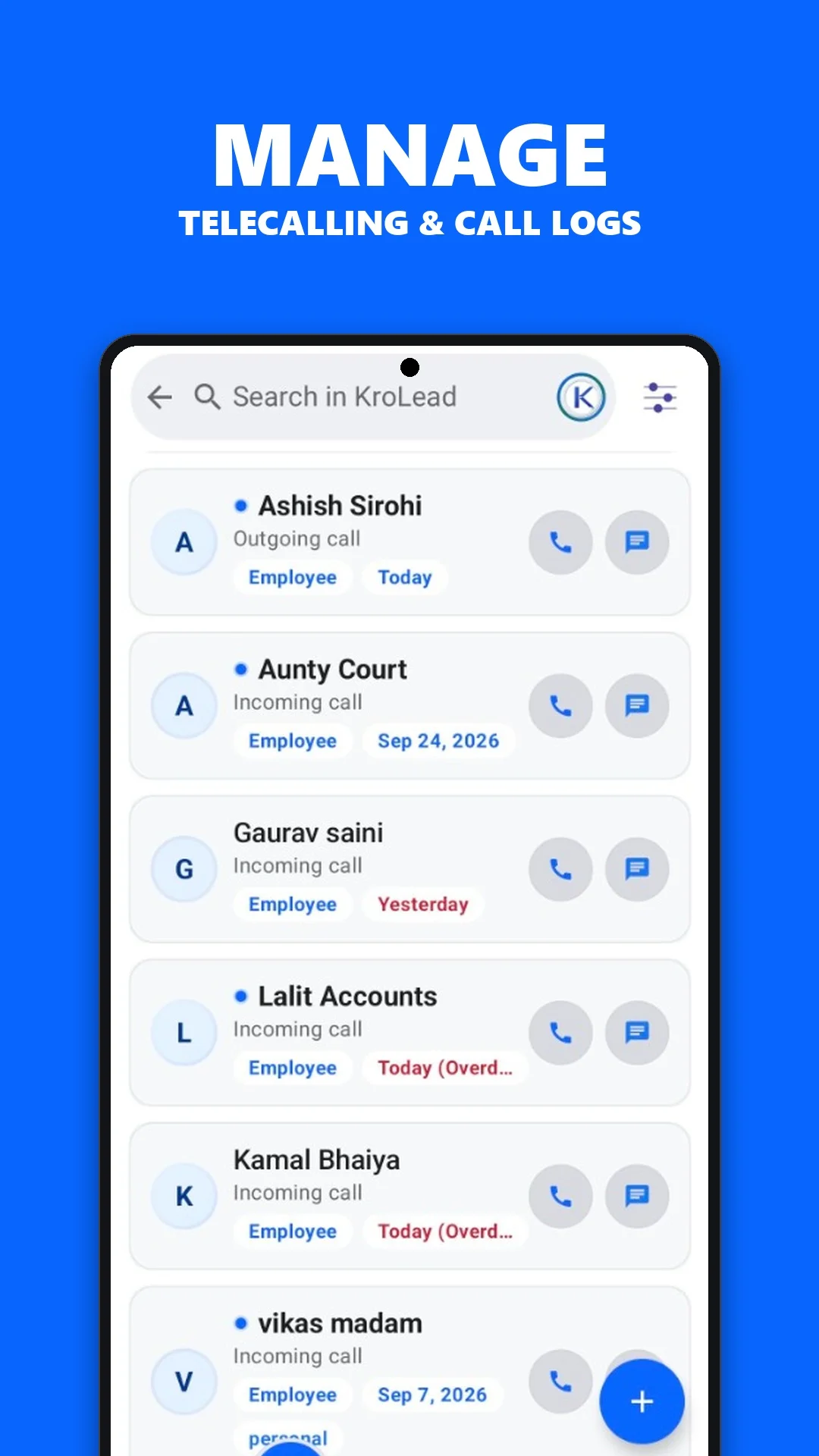
Auto-detect call duration, track talk-time, and monitor team performance
Automatic SIM call detection logs duration, connected rates, and daily calling volume effortlessly.
Good lead management comes down to three things: knowing the customer, knowing who owns the conversation, and knowing what happens next.
Keep customer notes and call history beside the lead, so the next conversation has a useful starting point.
See CallPilot ↗Give owners and employees a shared workflow for lead assignments, pipeline stages and follow-up responsibilities.
Explore team workflows ↗Record the outcome, plan the follow-up and return to the opportunities that need your attention.
Explore follow-up management ↗Choose the work that fills your day. Find the CRM tools and practical guide that fit.
Use saved lead history, call notes and pipeline stages to keep the conversation in context. Plan the next follow-up while the details are fresh.
Explore telecalling CRMCallPilot is optional and needs the relevant Android permissions.
A complete CRM that fits in your pocket. Built for how growing teams work across regions, languages, and time zones.
Every incoming and outgoing call is automatically detected. Save it as a lead with one tap · no manual entry needed.
Organize leads into custom pipeline stages. Track every deal from first contact to conversion with visual clarity.
Schedule follow-ups with reminders that actually work · even when your phone restarts. Never lose a warm lead again.
Team employee accounts with role-based access. Assign pipelines, track team performance, and keep everyone aligned.
Message leads on WhatsApp with one tap. Send personalized bulk messages to up to 50 leads at once with template variables.
Manage your product catalog with categories, custom fields, and pricing. Link products directly to leads for instant quotes.
Bring your existing leads from spreadsheets or export your data anytime. Full data freedom with CSV support.
Keep detailed notes on every lead. Log every call, meeting, and conversation with timestamps for a complete timeline.
Move closed won and closed lost leads out of the daily sales queue, then schedule warm check-ins, recovery calls, and custom reminders separately.
Know who's calling before you pick up. See lead history, notes, and pipeline stage in a smart overlay · so every conversation starts informed.
See caller history, pipeline stage, notes, and 1-tap AI sales brief before you even answer the phone.
After every call, a smart popup lets you log notes, schedule follow-ups, and update the lead stage · instantly.
Unknown numbers are queued for one-tap lead creation. No more writing numbers on paper during busy hours.
Illustrative example with sample data; not a measured customer result.
Synthesize customer history into instant sales briefs, generate tailored outreach messages, and view pre-call intelligence before you pick up. Powered by hybrid cloud and on-device AI.
One tap transforms conversation history, objections, and call notes into an executive sales brief and personalized WhatsApp response draft.
Illustrative example with sample data; not a measured customer result.
Never pick up a call unprepared. Generate or review lead intelligence directly on your incoming or outgoing call heads-up popup before dialing or answering.
Illustrative example with sample data; not a measured customer result.
On-device analysis uses engagement history to help prioritize leads and suggest a follow-up time and channel. Suggestions are estimates to review alongside your knowledge of the customer.
Illustrative example with sample data; not a measured customer result.
A real-time dashboard with health signals, task radar, lead watch, and pipeline analytics · all designed for action.
Illustrative example with sample data; not a measured customer result.
KroLead separates closed won and closed lost leads from active sales work, so your team can protect customer relationships and revisit old opportunities without confusing the daily lead flow.
Use the Won tab to call happy customers, maintain goodwill, and schedule the next relationship check-in.
Use the Lost tab to revisit old opportunities later without mixing them into active pipeline work.
Filter closed leads by due now, planned, or no reminder, then sort by next follow-up or last contacted.
Illustrative example with sample data; not a measured customer result.
Work with local lead records, notes, pipeline stages and follow-ups offline. Cloud sync needs an internet connection. Set up and sync your workspace before heading out.
| Workflow | Offline access | When a connection is needed |
|---|---|---|
| Core CRM | Work with local lead records and notes. | Sync changes when connectivity returns. |
| AI briefs | Read previously generated briefs. | Generate a new cloud brief or suggested message. |
| Team setup | Use existing access after setup. | Contact KroLead for workspace creation and login access. |
KroLead suits teams managing sales on Android. If your workflow depends on another platform, confirm device support with KroLead support before choosing a plan.
Fingerprint and face authentication protect the app from unauthorized access, even if your phone is shared.
KroLead uses SQLCipher to encrypt local app data at rest. SQLCipher’s documentation explains its database encryption. App access and device security also matter.
Cloud sync uses organization-based access and row-level security policies to control access to workspace records. Ask support about access settings for your team.
Audit logs help teams review recorded activity with timestamps, user information, and change details. Confirm which events are covered during onboarding.
Explore guides for calling teams, property agents, small businesses and salespeople on the move.
Explore all 12 use cases →Choose monthly or annual access for the people using KroLead. Confirm your organization setup, current offer and final terms with our team.
| Region | Monthly access | Annual access |
|---|---|---|
| India (INR) | ₹239 per seat | ₹2,868 per seat |
| Outside India (USD) | $8 per seat | $72 per seat |
Monthly access covers 30 days. Each active owner or employee needs a paid seat. AI credit packs are separate; final taxes and terms are confirmed during onboarding.
Current prices, taxes and terms are confirmed during managed onboarding on WhatsApp.
KroLead uses a managed onboarding flow so your organization gets the right workspace, team access, and setup support from day one.
Tell us about your business, city, and team size so we can recommend the right setup.
KroLead configures the account structure, owner access, and employee-ready workflow for your business.
Log in, capture leads, manage follow-ups, and start tracking business activity from the Android app.
Tell us how your team sells. We’ll use that context to discuss your workspace, access and onboarding.
YOUR INQUIRY
Hello KroLead, I would like to set up CRM access for 1 person. Our main workflow is calls and lead follow-ups. Please help me confirm the right workspace, seat plan and onboarding steps.
Discuss my setup on WhatsApp ↗Opens a draft in WhatsApp. You review and send it yourself. These choices are not submitted or saved by this page.
Yes. KroLead is designed to work offline for day-to-day CRM activity and sync data when connectivity returns.
Organization onboarding is managed directly by KroLead. Businesses contact the team on WhatsApp, KroLead creates the workspace, and login access is shared after setup.
No. CallPilot is optional. The core CRM works without it, and permissions are requested only when users choose to enable that workflow.
Yes. KroLead supports owner and employee workflows with organization-based access, lead accountability, templates, notes, and follow-up handling.
KroLead is best for small businesses and sales teams that depend on calls, repeat follow-ups, lead assignments, and owner visibility across a mobile team.
Closed won and closed lost leads move into Relationship Care instead of staying in the daily sales queue. Teams can view won and lost leads separately, call them, schedule default or custom check-ins, and filter them by due, planned, or no reminder.
KroLead uses managed onboarding and seat-based pricing. Outside India, the standard guide price is USD 10 per seat per month with a 20% discount to USD 8, or USD 120 per seat per year with a 40% discount to USD 72. India pricing remains in INR, and final taxes and terms are confirmed during onboarding.
KroLead analyzes customer interaction history, call duration, notes, and pipeline status to generate a concise sales brief and personalized outreach message. Each generation costs 1 AI credit, and generated briefs remain saved locally for instant review anytime at zero additional cost.
Yes. On-device lead scoring, sentiment detection, smart follow-up suggestions, and viewing previously generated briefs work 100% offline. Generating a new cloud sales brief or suggested message requires an active internet connection.
Explore the Android app, then let us help you set up the workspace for your team.